

- Key Takeaways
- Why Digital Safety Matters
- Essential Travel Safety Apps
- Critical App Features
- Selecting Your Digital Toolkit
- The Human Element
- The Future of Travel Safety
- Conclusion
- Frequently Asked Questions
- What are the most important features to look for in travel safety apps?
- How do travel safety apps help during emergencies?
- Are travel safety apps useful when traveling internationally?
- Do travel safety apps work without internet access?
- Can travel safety apps protect my personal data?
- How can I choose the best travel safety app for my needs?
- Are these apps suitable for solo travelers and families?
Key Takeaways
- Travel safety apps safeguard individual safety with features like immediate warnings, SOS hotlines and geolocation sharing.
- Selecting apps featuring offline functionality, privacy features, and resource-efficient operation is key to dependable on-the-go safety assistance.
- Travel apps that fit your destination, your style, and your comfort with technology make for a smoother trip.
- Trust the apps and your own instincts because no app is going to keep you safe or substitute common sense.
- Having backup plans, like hard copies of documents and emergency contacts, offers an additional travel safety blanket.
- By keeping up to date with new app features and the latest in travel safety technology, you will be ready to hit the road with your next adventure.
Travel resources: top apps for safety on the go include tools that help keep trips smooth and secure. Several travelers rely on these apps to review local alerts, identify safe paths, and obtain quick assistance in an emergency. These might have live location sharing, one tap emergency contacts, and location-based travel safety tips. Other apps assist in tracking health advisories or translating key phrases. With plenty of options for both Android and iOS, travelers can select what most suits them. With the right apps, travel can be less stressful and safer regardless of destination. Below are our favorite trusted options and a breakdown of how each can help on the road.
Why Digital Safety Matters
Digital safety is personal security these days, particularly for travelers. Threats aren’t only real-world, they’re digital, and they can impact you regardless of where you live. Cyber threats are going up worldwide by 10% just last year. Guarding your data, having secure passwords, two-factor authentication, and a VPN are the new fundamentals for journeying safely. Most travel safety apps focus on assisting you to stay alert, avoid danger, and get assistance quickly. Real-time alerts, emergency contact, and location sharing functions provide peace of mind and help you manage threats in unfamiliar locations.
Beyond the Map
GPS navigation apps are not just about directing users from point A to B. They’ll often point out safe paths, steer you clear of high-crime areas, and report road closures. Others include offline maps, meaning journeyers remain on track even when they’re out of range.

Local review apps such as TripAdvisor and Google Maps allow you to get a sense of whether a destination, hotel, or attraction is safe via recent reviews and ratings. Reviews from fellow travelers can alert you to rip-offs or unsafe areas. Smartphone travel apps allow users to plan trips down to the minute — from where to stay to what to see — highlighting neighborhoods users should avoid or that are safe. When it comes to public transportation, apps such as Moovit or Citymapper provide both route options and real-time schedules, enabling you to more easily bypass sketchy areas or time-consuming delays.
Real-Time Peace
A lot of travel safety apps provide push notifications about local emergencies, weather alerts, or government travel advisories, so you’re in the loop even if you don’t proactively check for news. Weather apps alert us to extreme conditions such as storms or floods, which is important information when preparing for a day outdoors.
Live traffic apps provide instant updates on jams, accidents, or unsafe conditions. Flight tracking apps like FlightAware keep you informed about your flight status, gate changes, and delays. This helps you avoid confusion at the airport and make any necessary adjustments to your plans.
Proactive Protection
Location sharing is a convenient security feature. When travelers share their real-time location with family or friends, they can be located quickly if something bad happens. Emergency apps offer local emergency numbers and direct connection to services, which is useful when you’re in a bind overseas.
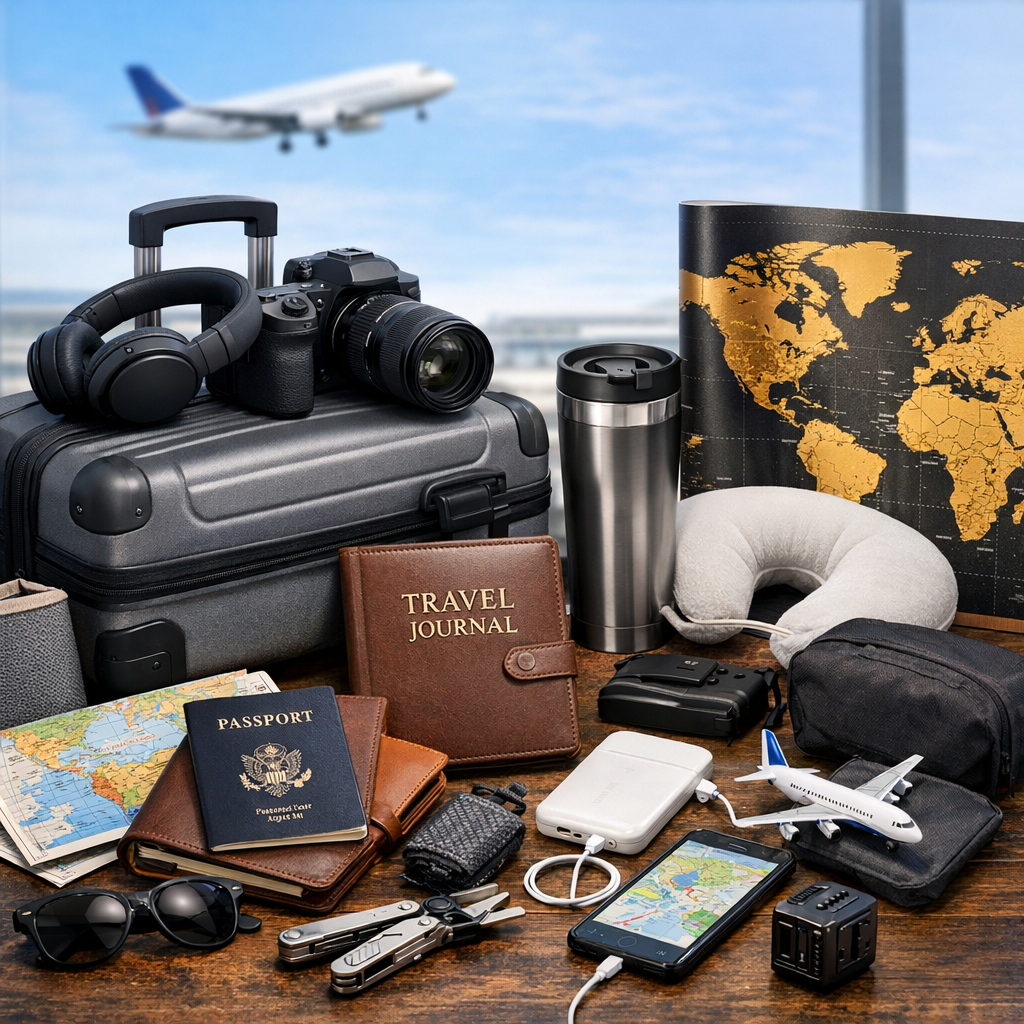
Key contacts for a travel safety plan:
- Trusted family and friends
- Local embassy or consulate
- Emergency services (police, ambulance, fire)
- Travel insurance provider
Travel assistance apps offer immediate aid, deliver medical assistance, and navigate you through emergencies. They simplify the handling of unforeseen obstacles.
Essential Travel Safety Apps
These travel safety apps are designed to keep you informed, connected, and private while you’re in an unfamiliar location. They offer real-time alerts, simple location sharing, and local assistance and medical access. There are many great apps for travel safety these days. Below are the most practical types of travel safety apps, with examples to suit most needs.
1. Emergency Alerts
FEMA, MyRadar and Red Cross Emergency, for example, dispatch real-time alerts regarding weather, earthquakes and health emergencies. Users choose what alerts to receive, set preferences for how they want to be notified and trusted news sources. These apps operate in numerous nations, so adventurers can track peril and respond quickly, wherever they may be.
2. Location Sharing
A lot of travelers rely on Life360, Glympse, and Google Maps location sharing. These apps allow you to share live location with friends or family, add temporary sharing for journeys, and control the audience of your updates. Privacy settings may be modified at any time. Certain apps link solo travelers, providing groups for women or others seeking additional security by checking in or locating travel buddies.
3. Localized Help
When you’re a visitor in a new country, you may want quick assistance and local information. TripWhistle, GeoSure, and Google Translate are just a few of the must-have apps that provide you with emergency numbers, safety ratings for neighborhoods, and instant translation—even by hovering your camera over a sign. A few apps give tips on local customs or link you with others in the area to make solo travel less lonely.
4. Health & Medical
First Aid by Red Cross, TravelSmart, and CDC TravWell, for example, all support travelers by listing local clinics, pharmacies, and emergency numbers. They monitor required immunizations and provide health warnings. They assist users in filing insurance claims or obtaining medical assistance during an emergency, which is crucial for overseas journeys.
5. Digital Security
Travelers guard their data with tools like NordVPN, Authy, and Lookout. These apps protect devices from cyber threats, provide two-factor authentication to accounts, and empower control over what personal information is shared. Frequent updates keep such tools robust against new threats.
| App Name | Features | Price | Pros | Cons | User Rating (avg.) |
|---|---|---|---|---|---|
| Life360 | Real-time GPS, group sharing, privacy controls | Free/$4.99 mo. | Easy to use, wide coverage | Battery use, in-app purchases | |
| 4.6/5 |
TripWhistle | Local emergency numbers and GPS sharing | Free | Easy and comprehensive in 200+ countries | Basic functions | 4.2/5
| Red Cross First Aid | Offline guides, step-by-step help | Free | Free, clear advice | Basic coverage | 4.8/5 |
| NordVPN | VPN, device protection, seamless security | $12.99 per month | Robust privacy, worldwide accessibility | Requires subscription | 4.5 out of 5 |
| GeoSure | Safety ratings, crowd-sourced tips | Free | Location-based info | Data accuracy varies | 4.0 out of 5 |
Critical App Features
Travel safety apps are at their best when stuffed with features that address genuine needs. Great apps do more than location tracking. They keep users informed, engaged, and empowered while mobile. Below are the core features that shape a strong travel safety tool:
Real-time tracking allows friends or family to see your location. This is an essential feature for solo adventurers or mountain hikers.
Crowd-sourced reports: People report local conditions, dangers, or safe areas, which adds credibility to the app.
Emergency contacts and medical info—Save vital information such as allergies or health conditions needing immediate attention during emergencies.
Step-by-step first aid guides lead you through what to do in case of injury.
In-app translation dismantles language roadblocks, is practical for daily use, and is crucial in emergencies.
Free wi-fi locator because being able to pull up a map or call for assistance is somewhat important.
Weather—five days of forecasts assist users in preparing for quick shifts or severe conditions.

Offline Access
Offline access is essential for anyone traveling to where mobile data is unreliable or costly. The great safety apps allow you to download maps, guides, and contacts before you leave. This means essential details are on hand, even in out-of-the-way areas. Offline navigation assists with route planning without depleting data or leaving users stranded in unknown areas. Offline emergency contacts are key, should the web fall in a crisis.
Privacy Controls
Apps need to let people make clear choices about what info they share. It’s easy to keep location and health data private with custom privacy settings. Always check what permissions an app requests upon installation. Secure apps don’t distribute information without specific, expressed user permission. Travelers should select apps that prioritize privacy, particularly when disclosing sensitive details while overseas.
Battery Usage
Certain safety apps require GPS or background running, which is a battery killer. Select apps that consume power judiciously so your phone gets through the day. Watch your battery settings and shut unused apps. Most devices provide some form of power-saving mode, so employ this when juggling multiple apps. It is smart to carry a slim power bank along with you for those long days out.
User Interface
Easy, simple layout leads to less stress when you’re in a hurry. Choose apps with simple navigation and clearly labeled functions. Seek out those that walk new users through the app and provide shortcuts to key functionality. A good app saves time, avoids errors, and facilitates quick access to what you need.
Selecting Your Digital Toolkit
Your digital toolkit: a smart selection can help travelers stay safe, informed, and connected on the road. Every trip is unique, whether it’s solo, a group, adventure, or business, so choosing the best apps begins with understanding your requirements. Consider your tech comfort and your path. A simple checklist can keep you organized. Include safety, real-time alerts, local help, and communication tools.
Your Destination
Scout out apps specifically for your region of choice. There are lots of local safety apps, like this one from the UK that sends real-time alerts about safe or risky neighborhoods. Some provide crowd-sourced safety ratings, allowing travelers to see which parts are safe to go to. It’s wise to seek out apps distributing current travel advisories and local condition updates.
Destination-specific apps frequently link travelers with local resources. For instance, certain apps offer direct access to emergency services, local clinics, or embassies. They can provide advice on cultural expectations, such as dress, etiquette, or regulations that might affect your security. With the help of these tools, travelers are able to make smart decisions and steer clear of potential danger.
Your Travel Style
Align your apps with how you travel. The daredevils among you could opt for apps featuring trail maps or instant weather notifications, whereas the more laid-back types might select ones that help you book secured lodging or discover serene hideaways. If traveling on business, think of tools for secure document sharing or encrypted messaging.
If you like group excursions, social apps that allow you to share your location with friends or family can be useful. Others allow you to schedule shared itineraries or track group members. Other apps assist in linking up with fellow travelers for rideshares, meetups, or even emergency communication. Smartly pick your apps according to your interests to maximize your trip.
Your Tech Comfort
Test your digital comfort before your trip. If you like it simple, choose apps that are lightweight and compatible with your device. Test them out prior to your departure so you’re certain they work offline and you understand how to use all functions.
Consult friends or fellow travelers who use similar tools. Their advice will steer you clear of overly complicated or unreliable apps. Go with well-reviewed and trusted safe apps.
The Human Element
Apps improve travel security, but personal experience counts too. Technology can offer tools, but it can’t substitute for human discernment, vigilance, and contingency planning. To depend exclusively on apps can lead to critical warnings or data mistakes. Even the coolest app is only one piece of being safe.
App Limitations
No app guarantees complete security. A lot depends on user input or batch updates, resulting in coverage gaps. Real-time alerts can be delayed, and information may be out of date or localized.
| App Type | Limitation | Example |
|---|---|---|
| Emergency contact apps | May not work offline | No connection in remote areas |
| Map/navigation apps | Inaccurate or missing details | Wrong street names |
| Safety alert apps | Delayed or false notifications | Outdated local data |
| Community-based safety apps | Biased or incomplete reports | Few active users in region |
Apps are great as a backup, never the sole source. In new locations, blindly trusting an app can send travelers to unsafe neighborhoods or get them lost in local updates. Verify details and confirm with other sources before acting.
Your Intuition
Trust your instincts over any app. If it feels phony, it probably is. Observing the behavior of those in your vicinity or sensing shifts in the surroundings is what assists in identifying threat as soon as possible. Some travelers carry a safety alarm to ward off danger. Others trust reaching out to locals for on-the-spot guidance.
Selecting paths and accommodations should include commonsense. If a neighborhood encircling the venue feels unsafe, rethink your plans. Local chatter identifies places to steer clear of or accentuate the safe. This social component doesn’t just increase safety, it makes for a more profound travel experience.
Your Backup Plan
A robust backup plan provides peace of mind. Travel is stressful, particularly when you’re flying solo or in a new area. Planning ahead means less stress and a quicker response if things go south.
- Keep printed copies of passports, IDs, and emergency numbers.
- Be aware of nearby embassies, hospitals, and police stations.
- Share your travel plans with trusted friends or family.
- Make sure you have local contacts or support services for emergencies.
- Carry a charged phone and a backup battery.
The Future of Travel Safety
Travel safety apps are evolving quickly, driven by technology that’s making every journey safer and smarter. More travelers turn to these apps for up-to-the-minute information about their destinations. Many of these apps display 5-day weather forecasts so travelers can avoid storm or flood-ravaged areas just in time. Being able to predict extreme weather in advance is crucial as these events are becoming increasingly frequent.
New digital tools provide travelers additional options to protect themselves. Location alerts inform users of protests, diseases, or natural disasters in the vicinity. For instance, Sitata or GeoSure provide safety and health threat updates in cities across the globe. This allows travelers to make adjustments or act early if something arises. There is a movement toward all-in-one apps that gather many of these tools in one place, mixing GPS location, weather, alerts, and even local emergency contacts, so users are not toggling between different apps.
Translation apps are another huge advance. In an emergency, the ability to speak with locals or authorities can be a huge time and hassle saver. Google Translate or iTranslate-type apps now feature voice input as well, so it is easier to ask for help or locate critical places like hospitals if language is an obstacle.
Personal safety apps are getting clever too. Lots allow travelers to share their location with friends or notify local officials with a tap. Tools like Noonlight or bSafe offer these capabilities, allowing users to respond quickly in dangerous scenarios. These capabilities ensure that travelers are not stranded, even in strange lands.
VPNs are now standard for travelers using public Wi-Fi. They shield private data from hackers, which is critical when banking or sharing personal details online from abroad. Services such as ExpressVPN or NordVPN allow you to browse securely, keeping your information private.
Keeping up with these innovations assists travelers in preparing for the unexpected. It’s wise to be aware of the closest hospitals or aid stations prior to travel. As travel safety apps continue to expand, having all these features under one roof will make our journeys less stressful and safer.
Conclusion
Travel safer, with the best apps in your pocket. Our favorites include maps, emergency alerts, language assistance, and secure payment options, all of which provide peace of mind. These apps reduce tension, assist you in locating aid quickly, and maintain you on track in unfamiliar areas. Choose apps that fit your travel style, such as offline maps for wilderness excursions or real-time updates for urban adventures. Be aware and protect your data. Tech evolves quickly, so verify updates before you travel. Smart planning ensures you get the most out of every trip. Give some of these tools a whirl, figure out what works, and keep safety front and center. To find out more or swap your own tips, join our community and let’s keep travel safe for all.
Frequently Asked Questions
What are the most important features to look for in travel safety apps?
Search for features like real-time alerts, emergency contact functionality, offline access, and location sharing. These features keep you informed and connected on the road.
How do travel safety apps help during emergencies?
Travel safety apps offer immediate connection to emergency contacts, local services, and alerts. They can promptly link you to assistance and direct you to secure areas.
Are travel safety apps useful when traveling internationally?
Yes, most travel safety apps provide worldwide coverage. They offer local safety news, emergency contact information and translation services to make globe-trotting safer and more controllable.
Do travel safety apps work without internet access?
Certain travel safety apps include offline features, like saved maps and emergency contacts. Please always check the app’s capabilities prior to travel to make sure you have offline access if required.
Can travel safety apps protect my personal data?
Select apps from reputable developers with solid privacy policies. Be sure to check for security such as data encryption and limited data sharing.
How can I choose the best travel safety app for my needs?
Consider app functionality, reviews, and device compatibility. Choose one that suits your destination, provides actual alerts, and aligns with your privacy preferences.
Are these apps suitable for solo travelers and families?
Yes, travel safety apps are for everyone. With features like location sharing and emergency alerts, they are must-haves for solo travelers, families, and groups.